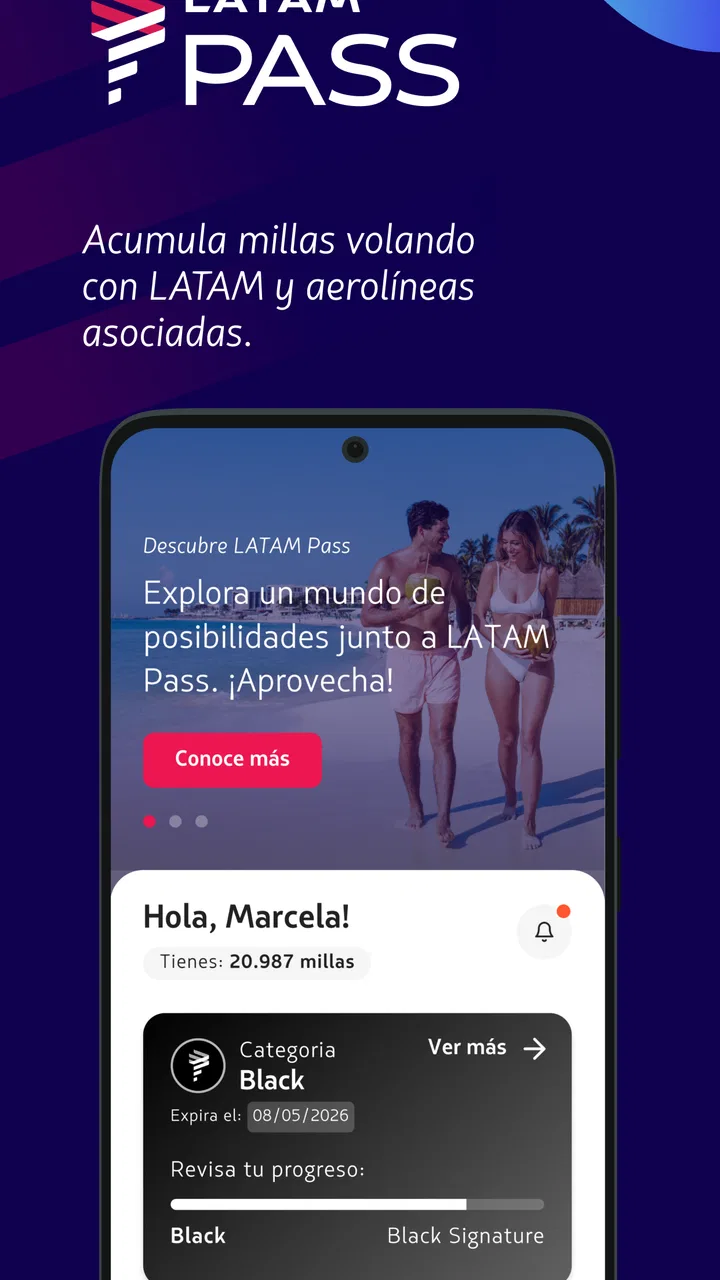
LATAM Pass
- 4.1
- Rating
- 5.00M
- Installs
- Free
- Price

 Analysis by App-foxy
LATAM Pass is the kind of travel app I would install before planning any trip with LATAM Airlines, especially if I expect to fly more than once or want one place to follow my loyalty activity. Developed by LATAM Airlines Group S.A., it belongs to the Travel & Local category and is free to use, with an Everyone age rating. My overall impression is that it works best as a mobile companion for managing a relationship with the airline, rather than as a complete travel-planning tool for every airline or every part of a journey.
The central idea is simple: LATAM Pass brings the LATAM Airlines loyalty program to a phone. That makes it more useful after I have already decided to travel with the airline than during the earliest stage of comparing routes, schedules, and fares across the whole market. The app has a 4.1 average from around 25 thousand ratings and more than 5 million installs, so it is clearly used by a substantial audience. Those figures do not automatically make it right for everyone, but they do suggest that it has become a familiar tool for travelers who regularly interact with LATAM.
How the app behaves when the connection is good
Connectivity shapes almost every important moment with a loyalty app. When my phone has a reliable mobile or Wi-Fi connection, the value of LATAM Pass is straightforward: I can open it while making travel decisions, check the information available in my account, and avoid relying entirely on a desktop browser. The experience feels most natural when I am already moving through a trip and need to consult the program from a small screen instead of sitting at a computer.
You May Also Like

 Blood Strike: 2.5 Anniversary
Blood Strike’s Loadouts Turn Every Drop Into a Tactical Gamble
A close look at Blood Strike’s custom loadouts: how fast access to signature weapons reshapes its battle royale rhythm, rewards preparation, and narrows the gap between fights.

 Pandora - Music & Podcasts
Pandora’s Music Is Easy to Start, but Harder to Recover
Pandora’s strength is its low-effort path from a seed to a station. Its weak spot is how much confidence it asks you to place in connection, setup, and quiet recovery.

 8 Ball Pool
 Is Built on Rivalries, Rematches, and Routine
A close look at the rivalries, rematches, shared routines, and unanswered safety questions that turn a quick pool match into a persistent mobile community.

 Samsung Music
’s Quiet Strength Is Playing What You Already Own
Its reach comes less from spectacle than from dependable access to a personal library. That simplicity is both the app’s strongest retention engine and its ceiling.

 AccuWeather: Weather Radar
AccuWeather Review: A Quick, Clear Forecast for Everyday Decisions
For everyday plans, the best forecast is the one you can understand quickly. AccuWeather makes rain timing, radar, and local conditions easy to act on, with a few trade-offs.

 Hill Climb Racing
Why Hill Climb Racing Still Turns Crashes Into One More Run
A tiny car, a bumpy hill and one more upgrade: Hill Climb Racing keeps resurfacing because its simple chaos makes every near-miss feel personal.
More From Our News Desk
View All News


I would not treat the app as a replacement for every airline website or travel search service. A general flight comparison tool is usually better when I am still deciding between different carriers, airports, or travel dates. LATAM Pass has a narrower purpose, and that focus is useful. It is designed around the LATAM loyalty relationship, so its strongest moments come when the question is “What is happening with my LATAM Pass account?” rather than “What is the cheapest way to get anywhere?”
That distinction is one of the first things I would explain to a friend. Installing it just to browse the entire travel market could lead to disappointment. Installing it because LATAM is part of your travel routine makes much more sense. The app is free, which lowers the cost of trying it, but the real benefit depends on whether the loyalty program matters in your own travel habits.
Why a live connection matters during planning
Network access matters whenever the app needs to retrieve current account or travel information. If I am checking something shortly before leaving home, I prefer to open the app while connected to stable Wi-Fi and give it time to load before I start moving. That small habit is more practical than waiting until I am in a crowded terminal with weak reception and a low battery.
A useful workflow is to review the app before the travel day, not only at the airport. I would check the account while I still have time to solve a login problem, correct an outdated detail, or look for information that I may need later. This is a less obvious advantage of using a loyalty app: it can turn a rushed airport task into a calm preparation step, even though the app itself still depends on access to the network for current information.
Another good habit is to avoid repeatedly refreshing the same screen when a response is slow. A delayed connection does not necessarily mean that the account or request has failed. I usually give the app a moment, confirm that the phone has a working connection, and then try again only when necessary. Repeated attempts can waste battery and mobile data without solving the underlying network problem.
Using it in real mobile situations
The app makes the most sense in the situations where a phone is already more convenient than a laptop. Imagine that I am on the way to the airport and want to review my loyalty information before entering the terminal. I can use the app from a mobile connection instead of opening a browser, searching for the airline site, and navigating through several pages. That is not a dramatic feature, but it reduces friction at exactly the moment when attention is limited.
It is also useful during a trip when I am standing in a queue, waiting for transport, or sitting in a hotel room with only a phone nearby. A small screen is not ideal for comparing a complicated multi-city itinerary, but it is perfectly reasonable for checking a focused account-related task. This is where the app feels more purposeful than a general browser shortcut: it puts the loyalty program in a place I can reach quickly.
I would still prepare important travel details in advance rather than assuming that a phone and a signal will always be available. Airports can have congested networks, underground areas can interrupt reception, and roaming conditions can vary by destination. The app’s mobile convenience is real, but it should be paired with sensible preparation. A digital tool is most helpful when it reduces dependence on last-minute connectivity instead of creating it.
For travelers who share plans with family members, the phone-based format can also be convenient because it allows the account holder to consult information without carrying a computer. However, I would be careful about handing my unlocked phone to someone else or leaving an account open in a public place. Convenience should not replace basic account privacy, particularly when the app is being used in a busy airport or hotel lobby.
What happens when the network fails
The main weakness of any connected travel app appears when the connection becomes unreliable. If LATAM Pass cannot reach the service, the experience may become less useful precisely when I want quick reassurance. A loading screen, a delayed response, or a failed attempt can be especially frustrating before boarding or while I am trying to make a time-sensitive decision.
My approach would be to separate urgent travel needs from loyalty-account tasks. If I need immediate proof of a booking or a time-critical travel document, I would not depend on a single app session. I would prepare the relevant information ahead of time and keep any essential confirmation accessible through the channels supplied during booking. LATAM Pass can be part of that preparation, but I would not make it my only fallback for an entire journey.
When something does not load, I would first check whether other apps can access the internet. If they cannot, the problem is probably the connection rather than the account. If the rest of the phone is online, I would close and reopen the app, try a different connection when possible, and avoid making multiple changes while the status is unclear. This simple recovery process is more dependable than repeatedly tapping buttons and hoping that one attempt goes through.
Travelers should also remember that a weak signal can produce uncertainty without clearly explaining what happened. A request may not complete, or the screen may take longer to reflect a change. I prefer to verify the result before trying again, especially if the action could affect account information or a travel decision. That pause is a small but important safeguard against duplicating an action or misunderstanding an incomplete update.
For this reason, I see the app as a convenient access point, not as a guarantee against travel-day problems. A loyalty app can organize information, but it cannot repair a poor airport signal, restore a dead phone, or replace preparation. The more important the information, the earlier I would open the app and confirm that everything is accessible.
Keeping mobile data under control
LATAM Pass is not an app I would expect to consume data constantly, but travel is exactly when mobile data can become expensive or limited. I would use Wi-Fi for routine account checks whenever it is trustworthy, then reserve mobile data for moments when I genuinely need access while away from a stable network. This is particularly sensible when traveling internationally or using a restricted data plan.
A practical routine is to open the app before leaving a hotel or home network, review what I need, and close it when finished rather than leaving it running while I move around. I would also avoid refreshing repeatedly in a place where the signal is poor. Slow connections often encourage people to retry several times, but that can use more data while providing no better result.
Battery use deserves similar attention. Airports are full of situations that drain a phone: navigation, messages, boarding information, photos, and payment tools may all compete for power. I would not keep LATAM Pass open unnecessarily. Checking it at deliberate points is more efficient than constantly reopening it to see whether something has changed.
There is also a privacy angle to connected use. Public Wi-Fi can be convenient, but I would be cautious when accessing an account in an open network. If the task is not urgent, I would wait for a connection I trust. If it is urgent, I would use mobile data when practical and lock the phone immediately after finishing. These habits are not unique to LATAM Pass, but they matter because the app is designed to bring a personal loyalty account into public travel spaces.
Who will get the most from it
I think LATAM Pass is a good fit for people who fly with LATAM often enough that loyalty information deserves a dedicated place on their phone. It is also sensible for travelers who dislike navigating a full website on a small screen and want a more direct way to interact with the airline’s loyalty program. The free price makes it easy to test without committing to another paid travel service.
It can also suit occasional LATAM travelers who want to keep their program activity close at hand during a particular trip. In that case, I would install it before departure, sign in while connected to reliable Wi-Fi, and explore the relevant screens calmly. That gives me a chance to understand the app before I need it in a queue or terminal.
On the other hand, I would skip it if I rarely use LATAM and have no interest in a loyalty account. A general travel app or the airline’s regular booking channels may be more useful for someone who simply wants to compare flights or manage one isolated reservation. The app’s focus is a strength for the right user, but it also defines its limits.
It is also not my first choice for travelers who need a single dashboard covering several unrelated airlines. A multi-airline travel organizer can be better for that purpose because it gathers trips from different providers in one place. LATAM Pass is more specialized, and specialization means I would choose it alongside other tools rather than expecting it to replace them all.
Where it stands beside the usual alternatives
The most obvious alternative is using a mobile browser to visit LATAM’s online services. A browser can be flexible and avoids adding another app, which may appeal to someone who travels only occasionally. The dedicated app has the advantage of being a more focused mobile entry point, but that convenience only matters if I use the loyalty program often enough to justify keeping it installed.
Another alternative is a general travel organizer. Those apps are often better for collecting reservations from different airlines, hotels, and transport providers. Their weakness is that they may not offer the same direct relationship with a particular airline loyalty program. I would use a general organizer for the broad itinerary and LATAM Pass for the LATAM-specific account side of the journey.
There is also the option of relying on email confirmations and saved screenshots. That can be useful as a backup, particularly when connectivity is uncertain, but it is less dynamic and may not reflect later changes. I would not treat screenshots as a complete substitute for checking current information. They are best used as a safety net for details I already verified, not as a replacement for live account access.
This comparison leads to a clear trade-off. LATAM Pass is more focused than a general travel app and more convenient than repeatedly finding the right web page, but it is less universal than a multi-airline organizer. I would choose it because of my connection to LATAM, not because I expect one app to manage every part of travel.
Version, support, and everyday expectations
The current version is 1.70.0, and the app runs on Android 7.0 or later. That minimum requirement makes it accessible to people using older Android phones, although the actual experience will still depend on the phone’s performance, available storage, battery condition, and network quality. I would update it before a trip rather than waiting until the airport, especially if the phone has not been used for travel recently.
Because the developer is LATAM Airlines Group S.A., the app feels most relevant to passengers who want an official connection to the airline’s loyalty program. That does not mean I would stop using other travel tools. In my setup, the dedicated app would have one job: keep the LATAM Pass relationship easy to reach. A calendar, email inbox, maps app, and perhaps a broader itinerary organizer can handle the surrounding tasks.
The Everyone rating also makes the app approachable for a broad range of users. In practice, ease of use still depends on how comfortable someone is with account sign-in, mobile connectivity, and managing information on a small screen. A less experienced traveler may appreciate guidance from a family member during setup, while frequent travelers will probably value the directness more than extensive explanation.
My connectivity verdict
After looking at how it fits into real travel conditions, I see LATAM Pass as a useful, focused companion rather than an all-purpose travel command center. Its strongest quality is access: when I am connected, I can reach the LATAM loyalty program from the device I already carry. That is genuinely helpful before and during a trip, particularly for someone who uses LATAM often.
The main caution is simple: do not wait until a weak signal, crowded terminal, or nearly empty battery to discover how much you depend on the app. Open it early, learn where the information you need is located, use Wi-Fi when sensible, and keep a separate backup for anything essential to the journey. Those steps make the connected experience much less stressful.
I would recommend it to LATAM travelers who want a dedicated mobile home for their loyalty activity and who understand that current information depends on a working connection. I would not recommend installing it solely as a universal flight search tool or as the only place to keep every travel detail. Used for its actual purpose, it is a practical free app with a clear role, and its focused design is more valuable than a long list of unrelated travel features.
FAQs for LATAM Pass
01What is LATAM Pass and what can I use it for?
LATAM Pass is LATAM Airlines’ loyalty program and mobile app, designed to help members manage their accounts, check their points balance, view activity, discover available benefits, and find ways to earn or redeem points. Depending on your country, you may also access flight information, promotions, partner offers, and account-related services. Features and redemption options can vary by market.
02Is the LATAM Pass app free to download and use?
Yes, downloading the LATAM Pass app is generally free on compatible Android and iOS devices. However, using certain services may involve normal costs associated with flights, purchases, taxes, fees, or partner transactions. The app also requires an internet connection for most functions, and your mobile carrier may charge data fees. Always review the final price and conditions before confirming a purchase or redemption.
03Do I need a LATAM Pass account to use the application?
Most personalized features require you to sign in with a LATAM Pass account. After logging in, you can normally review your points, account activity, benefits, and eligible offers. Some general information may be available without signing in, but creating an account is recommended if you want to earn and redeem points or manage your membership. Registration requirements may differ depending on your country.
04Can I use LATAM Pass to redeem points for flights and other rewards?
LATAM Pass points can generally be used for eligible flight rewards and, depending on your location and current program conditions, selected products, services, or partner benefits. Availability, required points, taxes, fees, blackout dates, and seat inventory can change. Before completing a redemption, carefully check the terms shown in the app, since rewards may be subject to restrictions and cancellation conditions.
05What should I do if my points, login, or account information is incorrect?
If your points balance or account activity appears incorrect, first make sure you are using the correct LATAM Pass account and that the app is updated. Check whether a transaction is still pending, as some points may take time to appear. For login problems, use the available password recovery options. If the issue continues, contact LATAM or LATAM Pass support through the official channels listed in the app or website.
Pros
- Earn and redeem miles on flights and partner purchases.
- Exclusive promotions can help frequent travelers save money.
- Flight and account details are conveniently managed in one place.
- Supports LATAM Airlines loyalty benefits across several countries.
- Digital membership card is easy to access while traveling.
Cons
- Some features depend on your country and LATAM’s local availability.
- Miles may have expiration rules and redemption restrictions.
- Promotional offers can be difficult to find or understand.
- App performance may vary during busy travel periods.
- Customer support options inside the app can feel limited.

LATAM Pass
Gallery